
How to fix taskbar search problems in Windows 10

Restart Cortana / Search process. 1) Right-click the task bar [...]
Restart Cortana / Search process.
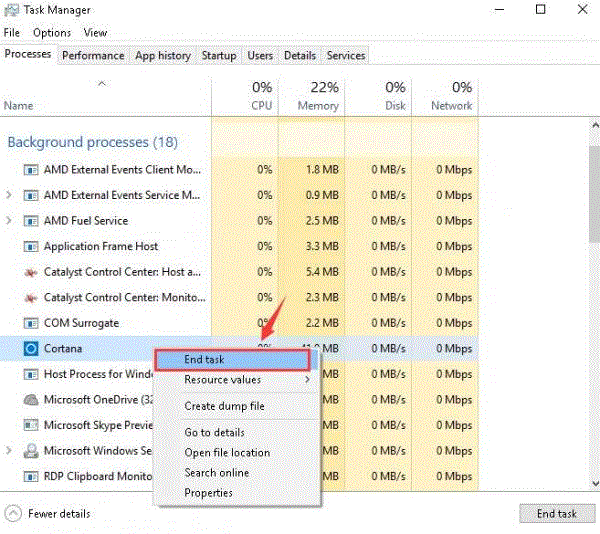
1) Right-click the task bar at the bottom of your computer desktop and choose Task Manager.

2) Press the C key on your keyboard and better locate the process Cortana, then right click it and click End task.
Share This Article

Written by : admin
Follow Us
Latest Articles

November 1, 2026

November 1, 2026
November 1, 2026


 "Quick Order on WhatsApp"